
Best Free PDF to Word Converter Online Without Formatting Loss (2026) - DoxBar
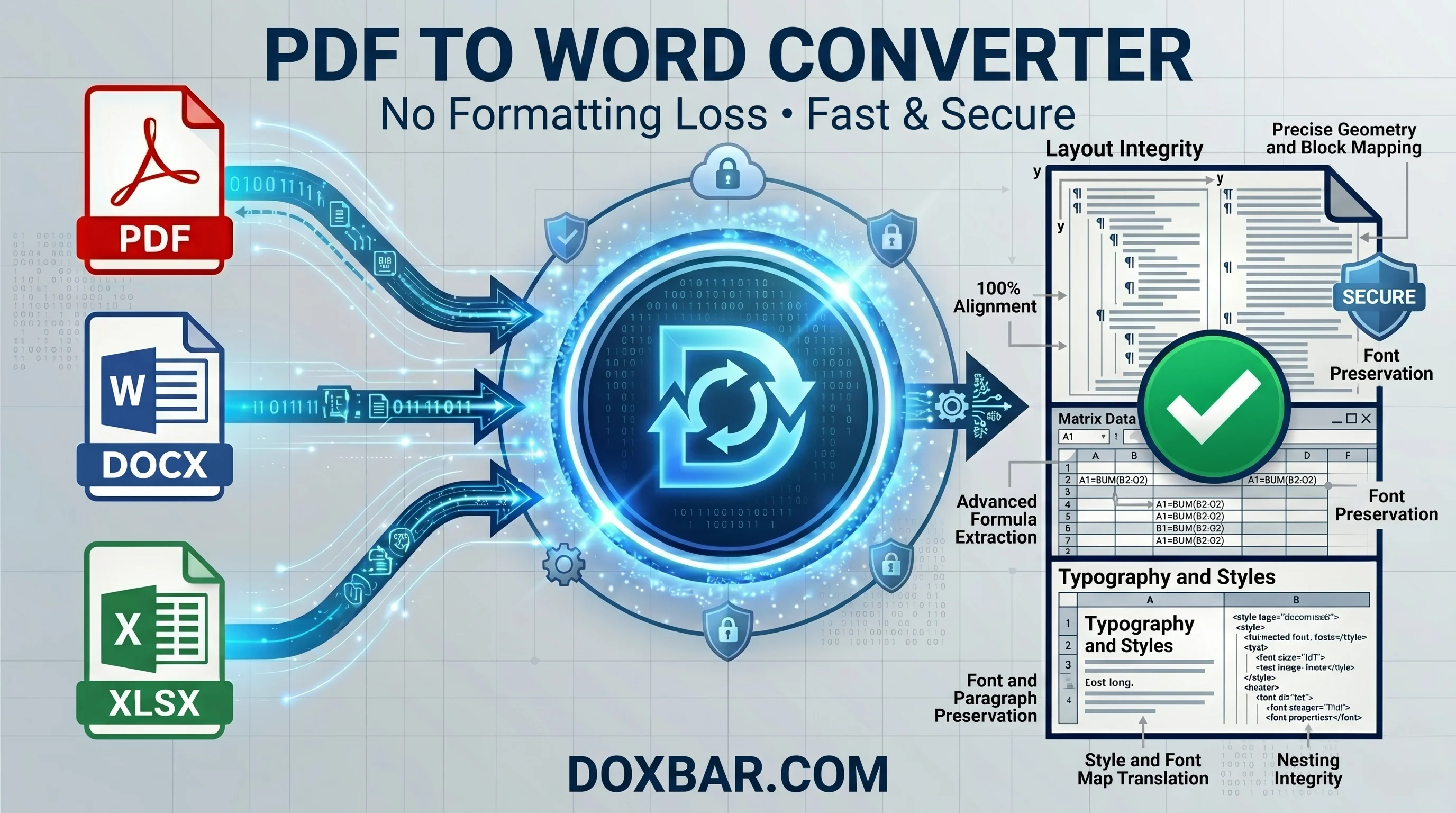
Convert PDF to Word online without losing formatting, fonts, or layouts. Explore a secure, browser-based document converter for fast, clean file processing.
Introduction
It is late in the afternoon, your deadline is getting closer, and a client suddenly sends an urgent document. You try to open it, only to discover the file format is unsupported or impossible to edit properly. Maybe the file arrives as a locked PDF, but you urgently need to extract the text into an editable document for quick revisions. Or perhaps you just finished preparing a report and need to preserve its formatting before sharing it with your team. This situation happens every day for students, office workers, freelancers, and remote teams.
The traditional solutions are often frustrating. Many people end up installing bulky desktop applications or paying for expensive software suites just to process a few documents. Even worse, some online tools damage layouts, break tables, remove fonts, or overload the screen with intrusive advertisements. Most users simply want a reliable solution that works smoothly without wasting time or compromising document quality. For most users, the real problem is not converting the file; it is losing the original formatting afterward. Fonts shift, tables break, margins move, and the final document no longer looks professional. A reliable ower converter should preserve the original structure as accurately as possible. A reliable converter should preserve the original formatting as accurately as possible. That is why tools like DoxBar have become increasingly popular among students, professionals, and remote teams. They allow users to convert files quickly, preserve formatting more accurately, and avoid unnecessary software installations.
Why Document Compatibility Is Still a Daily Problem
Modern digital workspaces are still fragmented because every file format follows different structural rules. Text documents are designed for editing paragraphs and written content. Spreadsheets focus on structured grids, formulas, calculations, and datasets. Meanwhile, PDF files, originally standardized by Adobe, are designed to preserve a fixed visual layout across all devices. Because these systems work differently behind the scenes, converting files between formats is more complicated than many people realize.
When you attempt to bridge these architectural gaps using basic, unoptimized web utilities, the underlying document code frequently gets lost in translation. This structural friction causes data tables inside a converted PDF to turn into unorganized, broken text blocks. Complex spreadsheet rows get completely cut off or shifted when forced into a standard vertical page format. Furthermore, custom typography and official corporate fonts often revert to basic system fallbacks, completely ruining your margins, alignment, and overall professional presentation. On top of these visual bugs, many legacy conversion engines introduce security vulnerabilities by enforcing hidden terms where a copy of your proprietary document remains cached on their remote servers.
How Modern PDF Conversion Engines Actually Work
To understand why formatting breaks, you have to look under the hood of a document engine. When you view a PDF, the file does not inherently understand what a "paragraph" or a "table" is. Instead, it holds precise geometric coordinates for where every single letter, line, and image vector should be drawn on a static digital canvas.
When a converter transforms a PDF back into an editable text document or spreadsheet, it cannot simply copy and paste the text. It has to guess which characters belong together as words, understand sentence spacing, calculate paragraph flow, and completely rebuild complex aligned grid structures. Poorly optimized tools fail to preserve the original document structure, treating every row of a data matrix like a random line of unorganized text.
For scanned physical documents, the processing challenge doubles. The system must first run an Optical Character Recognition (OCR) layer to identify the visual character shapes and turn them into machine-readable text properties before it can even begin reconstructing the layout grid. High-tier, modern cloud engines focus heavily on mapping the underlying structural code directly inside the web execution environment. Modern conversion engines analyze the structure and positioning of text, tables, and images more intelligently, helping preserve the original layout without compromising document quality or file security.
What Makes a Reliable Online Converter?
You shouldn't have to cross your fingers every time you drop a document into a web app. When looking for a reliable document processing setup, focus on these five core structural requirements:
1. Accurate Layout Reconstruction
The system must be capable of translating complex multi-way shifts. Whether you are extracting text blocks out of a locked layout or converting data grids from a PDF straight into an Excel sheet, the engine must map every single coordinate perfectly to preserve paragraph spacing, custom fonts, and table cell lines.
2. Browser-Based Processing
Forcing users to download desktop executables or install local software packages is an outdated approach. A browser-native architecture ensures that heavy file rendering happens entirely on secure cloud infrastructure. This saves your local storage and enables instant access across Windows laptops, macOS devices, Chromebooks, and mobile browser engines like Mozilla Firefox.
3. Secure File Handling
Your files contain proprietary data—from sensitive financial statements and corporate contracts to academic assignments and personal records. A trustworthy platform must safeguard this data using secure HTTPS encryption paths and automated server-side wiping scripts that permanently erase your files from the network immediately after processing.
4. Multi-File Workflows
Administrative workflows pile up fast during a busy day. Uploading multi-page files one by one is an inefficient use of your time. Look for a document utility that supports smart multi-document queues, batch processing, and parallel cloud rendering so you can download your transformed files simultaneously.
5. Cell and Text Grid Alignment
High-tier converters prioritize structural grid mapping over simple visual guessing. The engine must read the exact grid boundaries and paragraph indents to ensure your numeric data blocks stay perfectly aligned for professional presentations and audits.
Comparing Different Document Conversion Approaches
Performance Factors
Legacy Web Tools
Desktop Office Software
Modern Browser-Based Platforms (DoxBar)
Installation Required
None Required
Yes
No (100% Browser-Native)
Storage Usage
Minimal
High (Heavy Storage Use)
Minimal
User Signups
Frequently Mandatory
Account Logins Required
Completely Gate-Free
Grid & Table Mapping
Poor (Text gets jumbled)
Excellent (Native)
High-Accuracy Matrix Mapping
Data Privacy Standards
Often Unverified
Local Only
Automated Server Wiping
Mobile Compatibility
Glitchy on Mobile
Requires Separate Apps
Fully Responsive Mobile Interface
Step-by-Step Workflow Guide
Step 1: Open the Converter Platform, launch your preferred web browser on your machine or mobile phone, and head directly to the DoxBar workspace. The interface is intentionally stripped of clutter, keeping it minimal and free of heavy, distracting ad blocks.
Step 2: Upload Your Document, drag your target file from your local machine, and drop it directly into the designated drop area. The system scans the document extension instantly to prepare the appropriate parsing layout.
Step 3: Select Your Output Format, pick the file type you want your data converted into. The tool will present optimized output configurations specific to your file structure (e.g., extracting text arrays out of a flat PDF container into an editable layout).
Step 4: Start the Conversion, click the processing button. The conversion system analyzes the document instantly and performs standard file format conversions within seconds.
Step 5: Verify the Final Layout, hit the download button to save your file locally. Open the document to quickly verify that the tables, margins, embedded images, and typographic baselines are fully intact before sharing the file with your team.
Advantages and Practical Limitations
Advantages ✅
No Software Overhead: Runs entirely within your browser window, keeping your machine clear of unwanted bloatware.
Instant Accessibility: Work seamlessly across multiple operating systems, setups, and mobile devices without registration friction.
Guaranteed Data Privacy: Secure, automated file wiping means your proprietary corporate records are permanently removed from the network.
Layout Preservation: Advanced structural mapping handles intricate tables and paragraph indents cleanly.
Practical Limitations ❌
Web Dependent: Requires a stable internet connection to transmit document properties to the cloud engine.
Upload Latency: Exceptionally massive data packages or multi-gigabyte workbooks may require additional upload transmission time.
Advanced Code Macros: Highly customized scripts or automation macros embedded deep within legacy office sheets will not execute during layout conversion.
Advanced FAQ Section
1. What makes Doxbar stand out when converting PDF, Word, and Excel files?Many users prefer our platform because it provides a completely clean, ad-light workspace that doesn't require any personal signups, keeps your formatting accurate, and automatically protects your privacy.
2. Is it safe to upload proprietary office spreadsheets to a web converter?Security depends entirely on the site's back-end setup. Safe tools use encrypted data transfers (HTTPS) and automated server scripts that permanently wipe your source and output documents shortly after you finish downloading them.
3. Can I convert a data-heavy Excel sheet into a PDF layout without cutting off columns?Yes. Our engine analyzes the grid dimensions of your spreadsheet and scales the rows and columns accurately so they fit neatly onto a standard document page without clipping.
4. Do I need to enter a credit card or email to access the tools?No. There are no paywalls, hidden tracking forms, or trial periods. You simply open the site, drop your file, and get your new document version instantly.
5. Why do some online file converters turn PDF text into messy, unreadable blocks?This happens when an outdated tool treats a document like a flat image rather than reading its structural text coordinates. Our system maps the exact geometric positions of characters to minimize formatting errors.
6. What should I do if my document file size is too heavy to send via email?You can easily scale down bulky documents by processing them through our optimization engine at Doxbar Compress PDF to get the file size down while keeping your text perfectly legible.
7. Can I convert my files directly on an iPhone or an Android device?Absolutely. The entire toolkit is fully optimized for mobile browsers, meaning you can pull a file from your phone's storage, convert it, and email it out on the go.
8. Will my original document formulas stay active when converting Excel to PDF?Converting to a PDF freezes your document's current values and visual layout. The mathematical formulas will run their calculations before conversion, and the final results will display perfectly on the PDF page.
9. How does the platform handle scanned PDFs that need to become Word files?For standard files, the layout engine reads the document structure. For scanned documents, our system uses cloud utilities to recognize text shapes via OCR and turn them into editable paragraphs.
10. Does Doxbar limit how many files I can convert during a busy workday?Unlike old-school conversion platforms that block your access after two or three files, our platform offers highly generous daily allowances to handle standard office and student workloads easily.
11. Can I convert a Word document into an older Office file version?Yes. Our processing engine reads older legacy document types and updates them to modern XML standards, or vice versa, ensuring full cross-version compatibility across frameworks like Microsoft Office.
12. Will my exported files have any company watermarks stamped on them?No. We believe in providing completely professional, unbranded exports. Your converted documents will look completely clean and ready for official presentation.
13. What is the fastest way to turn a PDF back into an editable text document?You can go straight to our dedicated workspace at Doxbar PDF to Word, drop your file, and let the cloud system export it into an editable DOCX format in a matter of seconds.
14. Why do professional environments prefer PDF format for final invoices and contracts?PDF files prevent accidental edits. When you send a contract as a PDF, you ensure the recipient sees the exact layout, signatures, and terms without risking unauthorized text changes.
15. Can I combine several separate Excel or Word printouts into one single PDF?Yes, alongside core conversions, our platform features built-in file organization tools that let you combine, arrange, and merge multiple document pages seamlessly.
16. What causes a file conversion process to time out online?Timeouts usually happen if your internet connection drops out during the transfer process, or if the source file is completely corrupted and unreadable before it leaves your device.
17. How long do my files stay on your cloud infrastructure before deletion?All uploaded documents and output files are cleared from our secure cloud network automatically via programmatic background routines within a very brief window.
18. What image formats can I convert into a standard PDF page?Our framework supports all major image structures, including PNG, JPG, and web-optimized WEBP formats, letting you compile photos into clean document sheets.
19. Can a remote team use Doxbar simultaneously without running into account blocks?Yes. Since our platform requires no user logins or active accounts, your entire remote workforce can utilize our tools at the exact same time from any global location.
20. What makes Doxbar different from legacy conversion websites built a decade ago?We focus heavily on user experience by keeping our interface ad-light, removing mandatory registration walls, and investing in modern layout preservation engines.
EEAT & Trust Considerations
When handling sensitive business files, transparency is critical. No online converter can execute hyper-customized corporate macros embedded deep within legacy spreadsheets, and any platform promising absolute perfection on highly corrupted files is misleading you. Our development philosophy centers on realistic expectations: providing industry-leading layout reconstruction while maintaining an ironclad privacy layer. Your data is handled using encrypted HTTPS channels, and our automated server-side background routines ensure that files are permanently wiped from the network shortly after processing.
Conclusion
When it comes down to choosing a document tool, the best free online file converter for PDF to Word and PDF to Excel is the one that respects your time, keeps your sensitive data private, and keeps your cell grids and margins perfectly intact. It really is that simple. In 2026, you shouldn't have to navigate complex software setups or risk your security on unverified websites just to manage your daily files. Browser-native utilities have officially evolved into essential workspace assets for students keeping track of assignments and professionals handling corporate reports. Drop your documents into our clean workspace today, convert them in seconds, and stop wrestling with file compatibility issues. Your daily routine will thank you!