
PDF Too Large to Upload? Split Large PDF Files Without Losing Quality
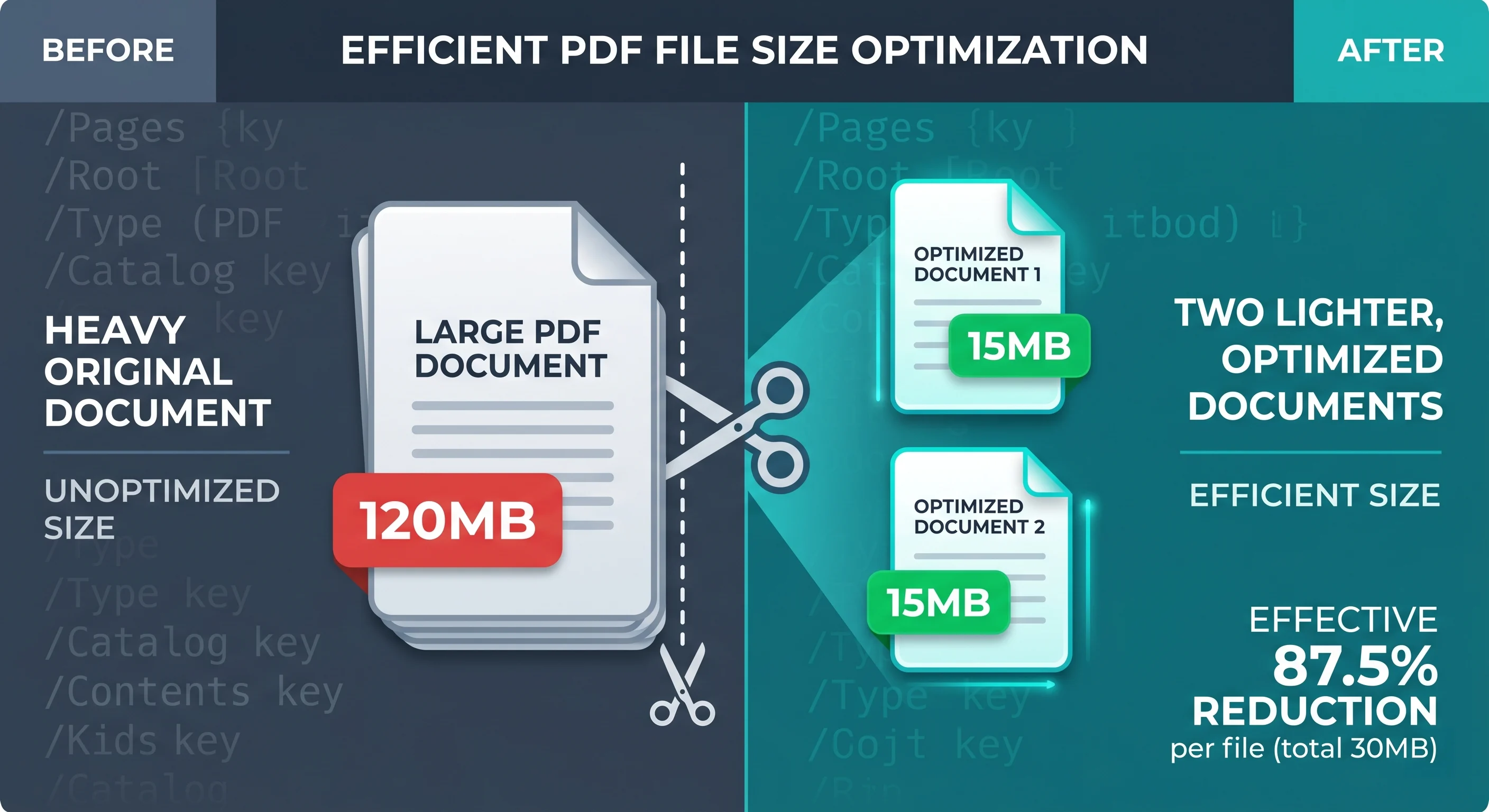
Learn how to split large PDF files securely without losing layout formatting or risking data privacy. Explore client-side WebAssembly workflows.
It is 4:45 PM. You have spent the last three days finalizing a multi-volume compliance brief or compiling an extensive quarterly financial audit. The client is waiting. You drag the completed PDF into the submission portal, click upload, and watch the progress bar freeze halfway. A second later, the system spits out a familiar error message: File size exceeds the maximum limit of 20 Megabytes.
This scenario plays out daily across corporate offices, legal firms, and creative studios. A freelance designer trying to email a high-resolution project portfolio to a client finds the message blocked by standard attachment limits in Microsoft Outlook. A real estate agent trying to upload property deeds to a government portal faces a strict 15MB ceiling.
When faced with these sudden operational roadblocks, the instinct is to find the fastest workaround possible. For many, that means uploading the document to the first free online PDF splitter that pops up on Google. While it fixes the immediate problem, passing sensitive intellectual property, legal contracts, or internal financial tables through unverified, remote cloud servers introduces massive compliance and data privacy risks.
Managing large files shouldn’t force a compromise between meeting a deadline and protecting data. By understanding why these files fail and how modern browser technology has evolved, you can split large PDF files efficiently right on your device without sacrificing document quality or data security.
Ready to Experience Zero-Trust Document Processing?
Don’t let strict upload limits or file size restrictions stall your operational workflows. Stop exposing your sensitive enterprise documents, financial records, and intellectual property to unverified remote servers.
Experience the speed, fidelity, and absolute privacy of browser-native manipulation firsthand.
100% Private: Your files never leave your device.
Instant Processing: No upload queues, no download latency.
Pixel-Perfect Quality: Advanced font re-subsetting and layout preservation built in.
[ Try Doxbar's Secure PDF Splitter Now ]
Why Large Documents Break Modern Workflows
The issues caused by oversized documents extend beyond simple upload rejections. The technical friction involved in handling, processing, and displaying large files impacts multiple touchpoints in an organization.
File Compatibility and Format Degradation
Converting files between formats—such as converting a complex Microsoft Word document or an Excel sheet into a PDF—frequently introduces layout errors. These errors occur because different file formats rely on fundamentally different rendering engines. When a multi-column document is divided or converted using basic parsing tools, the underlying text flow can break, resulting in shifted margins, misaligned page elements, and orphaned signature blocks.
PDF, Word, and Excel Workflow Issues
In data-driven corporate environments, documents rarely consist of plain text. They are heavy packages containing embedded spreadsheet tables, vector diagrams, and high-resolution raster graphics. Traditional office applications struggle when these elements are combined into a single, massive file. For instance, Google Drive caps converted text files at 50MB and spreadsheets at 10 million cells. If a document breaches these architectural limits, the system may fail to convert or preview it, disrupting automated backend workflows.
Document Fidelity and Formatting Loss
When a PDF is split using low-quality extraction tools, the structural integrity of the file often breaks. You might open the newly separated document only to find that paragraphs overlap, interactive form fields have flattened, or custom corporate fonts have been replaced with default system fonts. This completely undermines the professional presentation required for client-facing work.
Device and Browser Rendering Latency
Large documents put a heavy strain on local hardware resources. When a browser-based viewer attempts to render a massive, unoptimized PDF, it must allocate significant memory (RAM) to parse and display the pages. Testing by developers at Mozilla has shown that poorly optimized rendering engines can allocate hundreds of megabytes of temporary canvas memory when a user scrolls through long documents. On mobile devices or older office workstations, this high memory usage causes the browser tab to lag, stutter, or crash entirely.
Image Mask Memory Allocation (300 DPI Letter Page):
1bpp (Uncompressed Source) = ~1 Megabyte
Expanded 32bpp RGBA (Legacy Processing) = 32 Megabytes per Page
Security and Governance Concerns
Many web-based PDF splitters process files by uploading them to remote cloud servers. For regulated industries like healthcare, finance, or law, this practice can violate strict data privacy frameworks such as HIPAA, GDPR, or CCPA. Without clear visibility into where the data is stored, how it is encrypted, and when it is permanently deleted, using these unverified tools creates significant compliance liabilities.
The Limits of Legacy Desktop Software
Traditional desktop PDF editing suites, such as Adobe Acrobat Pro, offer reliable page-splitting tools but come with their own organizational drawbacks. These programs are often expensive to license across an entire team, slow to deploy, and require ongoing software updates to patch critical security vulnerabilities. Additionally, strict corporate IT policies frequently restrict non-administrative employees from installing local desktop software, making a secure, browser-native alternative far more practical.
Under the Hood: The Structural Science of PDF Manipulation
To understand how to split large PDF files without losing quality, it helps to look at how PDF files are uniquely constructed compared to standard text documents.
Fixed Coordinate Grids vs. Flowable Text
A standard Microsoft Word document uses flowable XML text. When you open a .docx file, the application dynamically calculates where lines and pages break based on current page margins, printer settings, and installed system fonts.
In contrast, a PDF is built on the international ISO 32000 standard. It uses a fixed-layout coordinate grid where every character, vector line, and raster image is pinned to exact coordinates on the page canvas. This ensures the document renders identically on any device, but it also means that dividing or editing the file requires precise manipulation of the underlying object architecture.
The Page-Tree Architecture of ISO 32000
A PDF file is organized as a hierarchical tree of objects linked together via a cross-reference (xref) table. At the root of this structure is the Catalog dictionary, which points directly to a /Pages tree. This tree contains individual /Page objects, each containing its own specific resources (such as embedded fonts and images) and content binary streams.
[Root Catalog] │ [/Pages Tree] / │ \ [Page 1] [Page 2] [Page 3] / / / [Contents] [Contents] [Contents] <-- Binary coordinate streams └── Linked fonts, images, CMaps
To split a PDF correctly without corruption, an advanced parser must do more than simply cut the file's raw byte stream. The program must:
Traverse the /Pages tree to isolate the selected page objects.
Re-map internal references so that the split pages do not contain broken links or orphaned elements.
Recalculate the byte-offset coordinate indexes in the cross-reference table to ensure the new, smaller files open reliably without errors in any viewer.
The Mechanics of Font Subsetting
A common reason split PDF files remain surprisingly large is how they handle embedded fonts. Font embedding packages the entire font file—including thousands of unused characters and multi-byte symbols—directly inside the PDF.
To optimize file size, document generation systems use a technique called font subsetting. Instead of embedding the entire font file, the generator creates a custom, stripped-down version containing only the specific characters used in that document. These subset fonts are identified by a unique six-character random prefix (for example, ABCDEF+Arial).
Full Font File (e.g., Arial: 3,000+ Glyphs) └── Font Subsetting (Original document uses "Confidential") └── Embedded Subset (ABCDEF+Arial: 12 Glyphs) └── Re-Subsetting (Split Page 1 uses "No") └── Optimized Subset (XYZWKV+Arial: 2 Glyphs)
When a document is split into smaller files, legacy tools often copy the original font subset entirely into every single split file, retaining characters that may not be used on those specific pages. Advanced tools perform font re-subsetting. This process analyzes the actual text on each newly separated page, strips out any unused characters from the parent subset, and writes a smaller, optimized font program into each split file. This ensures significant file size reduction without altering the visual presentation.
Browser-Native WebAssembly Workflows
In the past, secure document processing required heavy local desktop software. Today, web browsers can compile and run high-performance compiled code via WebAssembly (Wasm). By leveraging client-side JavaScript engines compiled to WebAssembly, modern web applications can parse, split, and optimize documents directly within the user's browser sandbox. Because the processing occurs entirely on the host machine, the file data never leaves the device, providing a private and highly efficient workflow.
Modern Solution Framework: What to Look For
When evaluating a PDF splitting tool for corporate or personal use, look for specific features that balance ease of use with enterprise-grade security:
Zero-Trust, Client-Side Security: Ensure the tool processes documents locally within the browser sandbox using JavaScript/WebAssembly rather than uploading files to a remote third-party server.
Layout Preservation and Fidelity: The parsing engine must maintain the document's original formatting, keeping vector graphics, annotations, form fields, and digital signatures intact while preserving exact coordinate alignments.
Cross-Platform and Mobile Compatibility: The solution should work seamlessly across Windows, macOS, Linux, iOS, and Android without requiring local administrative installation privileges.
No Resource Duplication: The underlying engine should perform resource optimization and font re-subsetting so that a split page extracted from a large file results in a proportionally smaller file size.
Comparison of PDF Processing Methods
Evaluation Metric
Legacy Cloud Converters
Desktop Software (e.g., Acrobat Pro)
Browser-Native Client-Side Processing
Data Processing Location
Remote Third-Party Servers
Local Host Workstation
Local Browser Sandbox (Client-Side)
Data Security & Privacy
Low risk of data logging or exposure
High; local machine isolation
High; zero-trust infrastructure
Installation Requirements
None (Runs in browser)
High (Requires admin rights and updates)
None (Runs in browser)
Font Re-Subsetting
Rarely supported
Yes, via optimizer profiles
Yes, via modern Wasm engines
Performance Speed
Tied to upload/download bandwidth
Fast; limited by local hardware
Fast; utilizes compiled execution
Subscription Cost
Often free; supported by data tracking
High licensing costs per user
Cost-efficient or open-access
Step-by-Step Workflow: Splitting Documents Locally
Modern browser-based tools make dividing large documents straightforward. The process below outlines how to safely split files directly within the local browser sandbox using tools like Doxbar.
Select File ──> Configure Split ──> Local Wasm Processing ──> Instant Download (Local) (Local) (In-Browser Memory) (Local Storage)
Step 1. File Selection:The operator selects the document. Using HTML5 File APIs, the browser reads the file's binary data directly into local memory, ensuring the data is not sent to an external server.
Step 2. Parameter Configuration:The operator chooses their preferred split method:
By Page Range: Isolating specific sections (e.g., extracting pages 10 to 25).
By File Size: Splitting the document into smaller files that do not exceed a specific target size (such as 15MB).
By Individual Pages: Separating each page into its own individual file.
The client-side WebAssembly engine parses the document's structure, organizes the page objects, performs font re-subsetting, and generates a new cross-reference table—all within the local browser environment.
Step 4. Direct Download & Verification:The system generates the split files in the browser's local memory and downloads them directly to the user's storage directory. The operator opens the split files to confirm that all text, images, form fields, and formatting remain accurate and intact.
Balanced Assessment: Advantages and Considerations
While client-side browser processing represents a massive leap forward for productivity tools, a realistic evaluation requires weighing both its benefits and inherent technical constraints.
Advantages
Enhanced Security: Processing files locally keeps sensitive data private and under internal corporate control, entirely eliminating third-party data tracking risks.
Instant Processing: Bypassing the upload and download steps associated with cloud servers allows for near-instantaneous file generation.
Zero Installation: Running directly in standard web browsers eliminates the need for software installation or administrative approvals from IT departments.
Preserved Quality: Advanced client-side parsing engines keep visual layouts, embedded fonts, and interactive links intact without degradation.
Considerations
Browser Memory Limits: Because processing runs inside the browser tab, memory allocation ceilings (often around 1GB to 2GB, depending on the browser and OS) can impact performance when handling extremely large, multi-gigabyte files.
Device Dependency: The speed of the split operation relies directly on the processor and RAM of the user's host machine, rather than a high-performance remote server cluster.
Advanced FAQ Section
1. Why do PDF files become so large in the first place?
PDF files scale in size due to embedded, uncompressed assets. High-resolution raster images, vector diagrams with thousands of anchor points, and fully embedded multi-byte fonts (such as Unicode or CJK Asian character sets) contribute to bloated files. Additionally, hidden metadata, redundant resource dictionaries, and unoptimized page objects build up when documents are repeatedly edited and saved in legacy office applications.
2. Can splitting a PDF degrade the quality of the embedded images?
No, a professional split operation does not degrade image quality. It is a structural process that edits the page-tree catalog and separates content streams. Unless you explicitly run a compression or downsampling utility, the original raster streams (like JPEG or PNG data) are copied exactly into the new document objects, keeping their resolution intact.
3. What is the difference between font embedding and font subsetting?
Font embedding places the entire font file—including every single character, symbol, and weight—directly inside the PDF, which can add hundreds of kilobytes per font. Font subsetting optimizes this by analyzing the document and embedding only the specific characters used. For example, if a document only uses the words "Confidential Report", the subset font will only include those specific glyphs, keeping the file size small.
4. Why do some split PDFs still have a massive file size?
This issue usually occurs because of redundant resource allocation. If a document is split without optimized parsing, the shared resources (such as large images or full font subsets) may be copied entirely into every single split file. This means a single-page document extracted from a 100MB parent file could still be close to 100MB. Advanced split tools resolve this by performing font re-subsetting and removing unused resources from the output file's dictionaries.
5. Is it safe to split financial or medical PDFs using free online tools?
Most free online utilities upload documents to remote servers for processing. This creates a data security risk, as organizations lose control of where the files are stored or who can access them. For sensitive files like medical records (subject to HIPAA) or financial audits, organizations should use browser-native, client-side tools that keep the data entirely on the local device.
6. How does client-side WebAssembly splitting prevent data leakage?
WebAssembly (Wasm) lets developers run high-performance compiled code directly inside the web browser's secure sandbox. When a user splits a PDF using a Wasm-powered tool, the byte streams are parsed and restructured locally in the browser's memory. Because no data is sent to an external server, this client-side workflow eliminates the risk of interception or unauthorized data collection.
7. Can interactive forms and signatures survive the splitting process?
Yes, but this requires a tool that can re-map interactive form fields and annotations. When a document is divided, the engine must identify the /Annots and /AcroForm dictionaries associated with the selected pages. If these relationships are preserved, the split files will retain functional text input fields, checkboxes, and digital signatures.
8. How does one check if a PDF has embedded fonts?
Users can check font embedding status on the host workstation. In Adobe Acrobat, opening the document properties (Ctrl+D or Cmd+D) and selecting the "Fonts" tab displays a list of all fonts in the file. Embedded fonts are marked as "Embedded" or "Embedded Subset". On command-line systems, running pdffonts document.pdf lists every font along with its embedding status.
9. What is the standard email attachment limit for corporate environments?
Most standard corporate mail systems limit attachments to 20MB or 25MB. These limits prevent network congestion and help organizations manage mail server storage costs. Files that exceed these limits must be split into smaller segments or shared via secure cloud storage links.
10. Can scanned PDFs with OCR text be split without losing the searchable layer?
Yes. Optical Character Recognition (OCR) engines add an invisible, searchable layer of live text directly beneath the scanned image. This text is stored in standard content streams and mapped to its visual coordinates. When a file is split, these content streams are copied over exactly, keeping the searchable OCR text layer intact.
11. How does Doxbar keep files secure during processing?
Doxbar uses a client-side architecture where all file processing takes place locally inside the browser. Because files are not uploaded to remote cloud servers, sensitive data remains entirely within the user's secure network environment.
12. Can a PDF be split on a mobile phone without downloading desktop software?
Yes. Because browser-native tools run directly within the browser, users can split documents on mobile devices using Chrome, Safari, or Firefox. The local mobile browser parses the document and performs the split without needing any desktop software installations or external app downloads.
13. What are the common causes of missing characters (boxes/☐) in split documents?
Missing characters, often rendered as empty boxes (☐), occur when a viewer cannot display a specific character glyph. This usually happens when:
The original document referenced a local system font instead of embedding it.
The split tool used aggressive subsetting and removed characters that were later added during post-split editing.
The document is missing its /ToUnicode mapping table, leaving the viewer unable to map font glyphs to standard Unicode values.
14. Can one merge split PDFs back together at a later stage?
Yes. Client-side libraries can combine separate PDF page trees and rebuild a single, unified page catalog. During a merge, the engine consolidates redundant resources and merges identical subset fonts to keep the final file size optimized.
15. Are passwords and encryption maintained after splitting a document?
When a PDF is protected by an owner password, users must enter the password to modify or split the file. Splitting an encrypted PDF generates new, unencrypted files unless the user chooses to apply a new password and encryption settings to the output documents during processing.
16. Does splitting a PDF affect its compliance with PDF/A archiving standards?
PDF/A is an ISO standard designed for long-term archiving that prohibits features like external font references and JavaScript. Splitting a PDF/A file will maintain compliance as long as the split tool preserves all embedded fonts, metadata, and color profile dictionaries without introducing non-compliant elements.
17. Can command-line tools be used for automated document splitting workflows?
Yes. For automated server environments, developers can use command-line tools like Ghostscript, pdftk, or custom Node.js scripts. These tools parse document catalogs and automate page extraction based on pre-defined administrative rules.
Verifying Document Security and Integrity
When managing corporate documents, maintaining data security and process integrity is essential. Organizations should prioritize workflows that protect sensitive data and verify file safety at every step:
Validate Font Embedding: Always check that the split files retain their embedded subset fonts to ensure the layout remains accurate across all devices.
Verify Searchable Layers: Check that split files retain their active text layers and OCR data for easy searchability.
Confirm Clean Links: Verify that internal links, bookmarks, and form fields are updated and point to the correct locations within the new files.
Implement Local Processing: Use a client-side architecture to process files locally, keeping sensitive data off external servers and reducing security risks.
Conclusion
Managing oversized documents does not have to be a choice between processing speed and file security. While legacy cloud-based converters can expose sensitive corporate data, modern browser-native platforms like Doxbar offer a secure, zero-trust alternative.
By running optimized, client-side WebAssembly runtimes directly within the browser sandbox, Doxbar splits large PDF files locally on your device. This ensures absolute data privacy, maintains layout fidelity, and optimizes file sizes with advanced font re-subsetting—delivering professional-grade results without compromising security.
If you are currently facing an upload block or preparing a large document distribution, try processing your files locally with Doxbar to experience secure, high-fidelity browser parsing firsthand.