
What Is PPTX to PDF Conversion and Why Does It Matter?
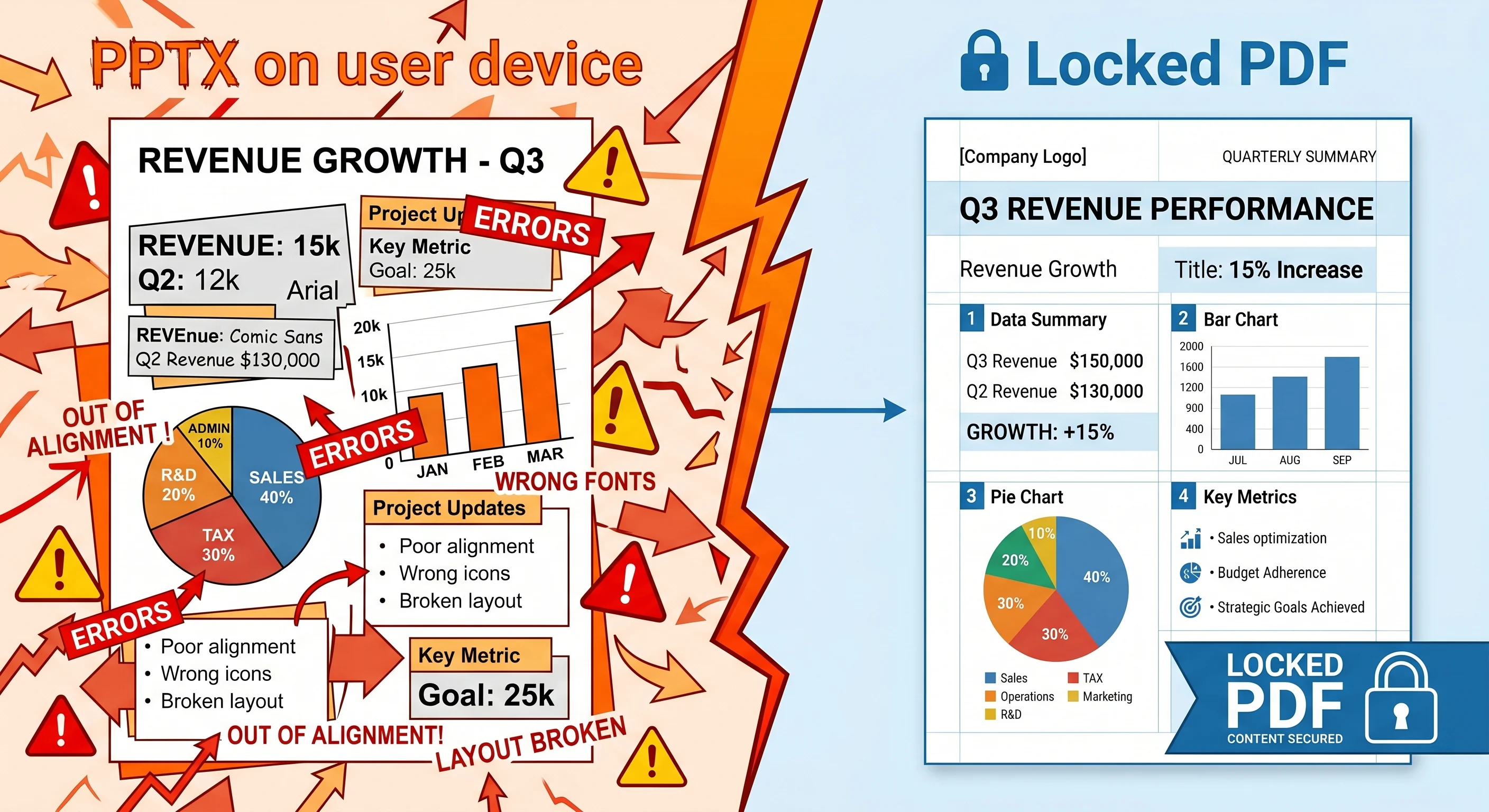
Discover why PPTX files lose formatting on different devices and how running a .pptx to PDF conversion preserves fonts, layouts, and media across any platform.
Imagine standing in front of a room full of clients, hitting the spacebar to reveal your main slide, and watching your beautifully aligned text boxes crash into your charts. The custom font you spent an hour picking out has defaulted to Times New Roman, and your clean layout looks like a jigsaw puzzle put together in the dark.
This happens all the time to professionals and freelancers. You build a great slide deck on your home setup, send it over email, and it falls apart the moment it’s opened on a different operating system, tablet, or projector screen.
The disconnect usually comes down to how different file formats handle visual elements. While .pptx files are great for editing and building content, they aren't meant for universal viewing. That is exactly why using a dedicated tool for .pptx to PDF conversion is a critical final step before sharing your work. At Doxbar, we focus on making these file transitions clean, secure, and instant so your presentation looks identical to every single viewer.
Why Presentations Break: The Problem with PPTX
The root of the issue is that Microsoft PowerPoint files are dynamic. Instead of saving your presentation as a fixed image, a .pptx file saves a bundle of instructions: "Put this font here, draw this blue shape behind it, and overlay this image."
When another device opens that file, its native software tries to interpret those instructions. If anything is missing, the layout breaks.
Missing Local Fonts: If you use a modern typography choice from Adobe Fonts or a custom font package, and the receiving computer doesn't have it installed, the system will swap it out for a stock font. Because letters have different widths, your text wraps into new lines and overlaps other elements.
Operating System Friction: PowerPoint for Windows and PowerPoint for Mac handle spacing, line heights, and anti-aliasing differently. Moving a file across OS platforms is a common trigger for layout shifts.
The Mobile Nightmare: Opening a heavy presentation on a smartphone or tablet via standard email previewers often strips out background graphics entirely or distorts complex diagrams.
Legacy Software Overhead: Relying on bulky desktop software to convert files means waiting for applications to boot up, dealing with updates, and wrestling with high memory usage on older machines.
The Technical Reality: PPTX vs. PDF
To understand why a PDF solves these problems, it helps to look at what happens under the hood during a conversion.
A .pptx file is essentially a zipped package of XML code, images, and media objects. It requires a live layout engine to render it on your screen.
A Portable Document Format (PDF), originally standardized by Adobe, operates on a completely different philosophy. It acts like a digital printout. When you convert a slide deck to PDF, the layout engine calculates the exact geometric coordinates of every vector line, font character, and raster image on your canvas. It permanently locks those coordinates into place.
[ PPTX File ] ---> Contains dynamic instructions & references local system fonts | v (Conversion Engine reads layout logic, embeds vectors & rasterizes layers) | [ PDF File ] ---> Contains absolute geometric coordinates & embedded font assets
What Happens to Your Elements?
Fonts: Modern conversion tools embed the necessary font metrics directly inside the PDF file. The viewing device doesn't need the font installed; it reads the shapes directly from the document package.
Vectors and Shapes: Charts and shapes stay sharp because they are stored as math-based paths. They scale perfectly whether viewed on a 6-inch phone or a massive conference room display.
Images: High-resolution graphics are compressed to balance quality and file size, preventing your presentation from turning into an unsendable 50MB email attachment.
What to Look For in a Modern Tool
You don't need expensive, heavy software suites just to change a file extension. Modern web-native platforms handle everything securely in the browser. If you are assessing a file conversion tool, make sure it ticks these boxes:
Zero-Knowledge Privacy: Look for platforms that use automated servers to process your files and delete them entirely within an hour. Your financial reports or pitch decks shouldn't sit on a random server indefinitely.
Layout Integrity: The conversion engine should accurately mimic how Microsoft PowerPoint interprets shapes, groupings, and text wraps.
Cross-Platform Accessibility: The tool should work just as smoothly in Safari on an iPad as it does in Chrome on Windows 11.
Batch Capabilities: If you're managing quarterly reports, converting ten decks one by one is a massive waste of time. Look for tools that let you drop multiple files in at once.
Workflow Comparison: Legacy vs. Modern Cloud
Feature
Legacy Online Tools
Desktop Software Suite
Modern Browser-Based (Doxbar)
Speed
Slow upload, heavy ad-cluttered wait times
High startup lag, slow processing on old laptops
Instant processing using isolated cloud microservices
Privacy
Vague retention policies, hidden data tracking
Local processing, but requires expensive user licenses
Clear privacy guarantees, automated 1-hour deletion loops
Accuracy
Frequent font drops and scrambled table cells
Highly accurate but platform-dependent
High-fidelity rendering engine matching native styles
Portability
Mobile-unfriendly UI with pop-up traps
Requires local installation and device compatibility
Zero installation, optimized for mobile browsers
Step-by-Step: The Efficient Conversion Workflow
Converting your presentation shouldn't feel like a chore. Here is how a clean, optimized workflow looks in practice:
1. Upload Your PPTX File: Secure HTTPS Handshake.
Drag your presentation file into the drop zone. The platform establishes an encrypted connection to ensure your data remains secure as it is transferred to the isolated processing server.
2. Select Output Parameters: Configuration.
Confirm your desired output (PDF). Advanced engines automatically optimize the internal layout structures without requiring complex settings adjustments.
3. Process the Conversion: Cloud Rendering Engine.
The engine reads the presentation's XML layout, maps out vector paths, embeds font shapes, and builds a clean PDF structure within seconds.
4. Download the Finished PDF: Immediate Retrieval.
Save the newly generated PDF directly to your local device or cloud storage.
5. Perform a Quick Spot-Check: Final Quality Assurance.
Open the PDF and scroll to a slide containing a complex chart or table. Verify that the alignment is crisp and that text wraps naturally.
Pros & Cons of Converting PPTX to PDF
The Advantages
Perfect Visual Fidelity: What you see on your screen is exactly what your audience sees on theirs. No surprises.
Compact File Size: Long slide decks with large images are compressed into lightweight files that pass easily through email gatekeepers.
Read-Only Protection: A PDF prevents accidental edits, deleted text boxes, or modified numbers right before a critical meeting.
Universal Printing: Print shops and office copiers process PDFs much more reliably than raw presentation formats, eliminating cut-off margins.
The Drawbacks
Static Nature: Converting to PDF flattens animations and slide transitions. If your presentation relies heavily on moving objects, they will display as static steps.
Loss of Native Edits: You cannot jump into a PDF slide and quickly fix a typo. You will need to modify the original .pptx file and run it through the converter again.
Advanced FAQ
Why do my fonts change when I send a PowerPoint file to someone else?
PowerPoint looks for fonts installed on the local operating system. If the recipient doesn’t have your exact font file, the system replaces it with a generic default like Arial or Times New Roman, which changes the text width and scrambles your layouts.
Does converting a presentation to PDF reduce image quality?
High-fidelity converters use smart compression algorithms. They lower the file size of heavy images so the document is easy to share, but they retain high enough resolution to look sharp on crisp modern monitors and printed pages.
Can I convert a presentation back to PPTX if I lose the original?
Yes, you can use reverse conversion engines, but the results vary. While text content is preserved, complex groupings, animations, and nested shapes rarely return to their original, perfectly editable states. It is always best to keep your source .pptx file safe.
Is it safe to upload proprietary pitch decks to online converters?
It depends entirely on the tool. Many free, ad-supported tools retain data or use vague privacy terms. Secure tools like Doxbar process files using isolated automated scripts and delete all user uploads from their systems completely within an hour.
How do animations behave in a PDF document?
Animations are stripped out. If you have objects that appear sequentially on click within a single slide, a standard converter will usually overlay them all on top of each other on one page or print the final completed state of the slide.
Why are my slide margins cut off when I print a PPTX file?
PowerPoint slides are typically formatted for widescreen displays ($16:9$). Standard printers use letter or A4 sizes ($4:3$ variations). Converting to PDF scales the presentation layout safely within standard print margins first, preventing clipping issues.
Can hyperlinks inside my slides still be clicked in a PDF?
Yes. A modern, robust conversion engine retains internal reference paths and external web links, turning them into clickable hotspots within the final PDF document.
Do embedded audio and video files play inside a PDF presentation?
Generally, no. While the PDF standard technically supports embedded multimedia assets, most modern PDF viewers (including web browsers) disable them for security and performance reasons. If your presentation relies heavily on video playback, keep it in its native format.
Why does a PDF document load faster than a PowerPoint file on mobile devices?
Mobile operating systems have native, lightweight PDF readers built directly into their kernels or core browsers. Processing a .pptx file requires loading complex application structures, which drains memory and takes significantly more time.
What is the file size limit for online presentation converters?
Limits depend on infrastructure capability. Most lightweight or legacy web tools cap files at 10MB to 20MB. Optimized systems can handle much larger, media-heavy slide decks without crashing your browser tab.
Final Thoughts
The point of a presentation is to communicate clearly, and you shouldn't have to worry about whether your slide design survives the trip across the internet. Converting your final work to a PDF protects your layout, fonts, and professional branding from unexpected system quirks.
If you have a slide deck ready for a client review or a class submission, drop it into the conversion engine at Doxbar. We’ll handle the layout processing in seconds, clean up the files right after, and make sure your work looks exactly the way you intended.