
DOCX to PDF: Why Your Word Document Looks Different on Another Computer
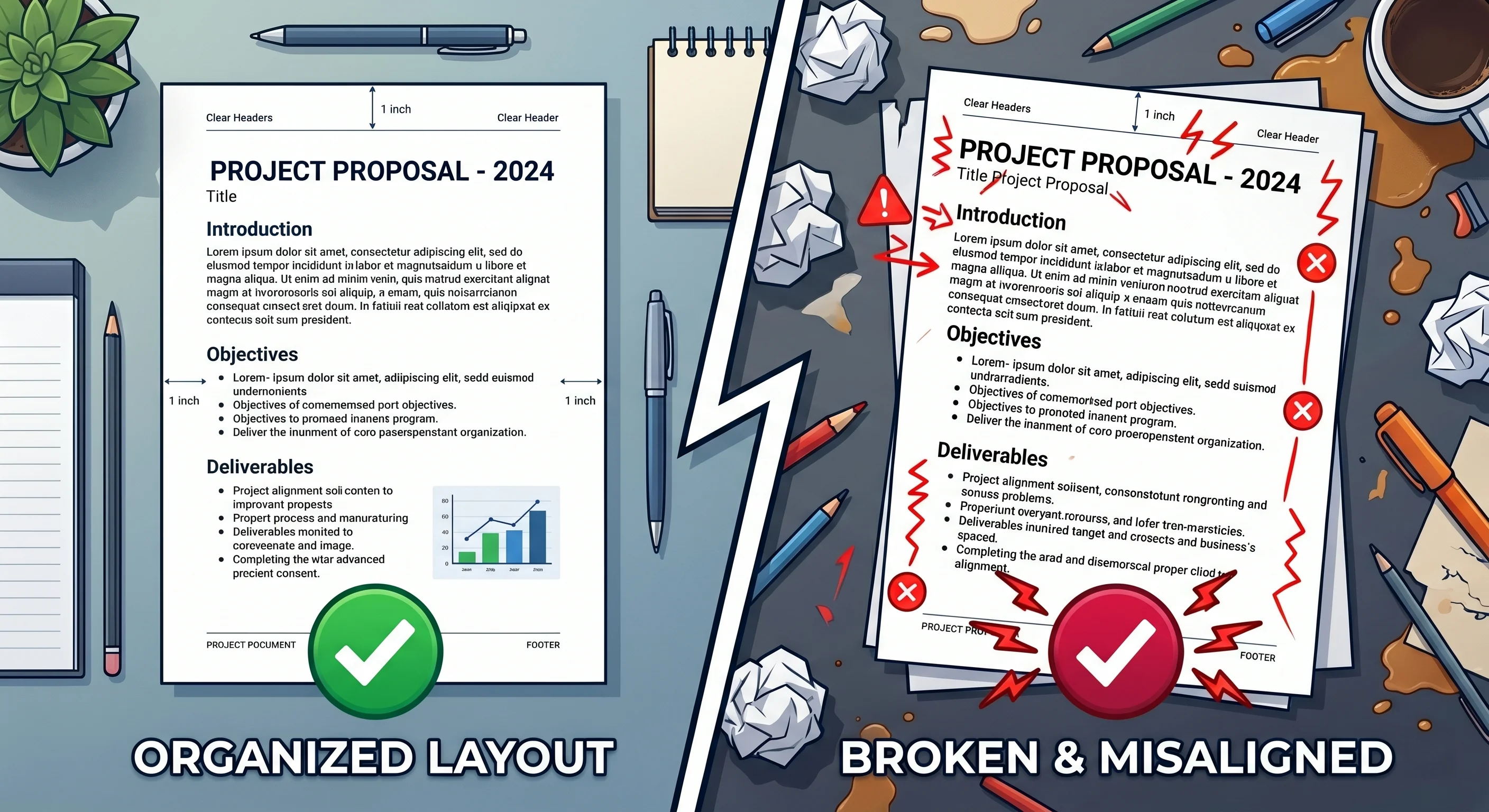
Tired of your Word document formatting breaking when sent to clients? Learn exactly why layouts shift on different computers and how to fix it for good.
Introduction: The Client Meeting Nightmare
You spend hours tweaking a business proposal, a resume, or a freelance project. Every heading sits perfectly, the margins are balanced, and your tables look incredibly clean. You save the file, attach it to an email, and hop on a call with your client to walk through it.
Then comes the dreaded sentence: "The text on page three is overlapping, and your layout is completely broken."
You look at the file open on your screen—it looks absolutely pristine. But on their screen, it is a complete mess.
This specific frustration is as old as digital office work itself. Whether you are running an agency from a laptop or submitting a critical report, relying on a raw Microsoft Word file to look identical on someone else's computer is a massive gamble. While modern productivity tools have come a long way, the fundamental technology behind how documents render still depends on a user's local system. Let's look at why this happens and how a simple workflow tweak can eliminate this headache permanently. To bypass this entirely, executing a quick DOCX to PDF conversion before sharing is the most efficient way to freeze your layout and ensure absolute consistency.
The Problem Breakdown: Why Document Layouts Break
When you save a document as a .docx file, you aren't actually saving a finished digital print. Instead, you are saving a blueprint—a collection of code instructions. When someone else opens that file, their local software reads those instructions and tries to rebuild the document on the fly.
If their system setup doesn't perfectly match yours, the layout falls apart. Here is what causes the disconnect under the hood:
The Font Substitution Trap: If you use a clean, modern font that isn't pre-installed on your recipient’s operating system, their computer won't display it. Instead, it silently swaps it for a default alternative like Arial or Times New Roman. Because different fonts have varying letter widths and character spacing, your paragraphs expand or shrink, instantly pushing sentences and headings onto the wrong pages.
Operating System Variations: Windows, macOS, and Linux use entirely different engines to smooth text and calculate spacing. Furthermore, as documented by Microsoft, desktop Word relies on your local printer driver to determine page boundaries. Change the computer or the connected office printer, and your margins shift.
Software Version Discrepancies: A file built using the latest cloud-based Microsoft 365 features might not translate perfectly when opened in an older desktop version of Word or a free alternative suite like LibreOffice.
Mobile and Web View Limits: Opening a complex document on a smartphone or through a basic email attachment preview often strips out sophisticated layouts entirely, turning a beautifully designed pitch into a jumbled wall of text.
Educational Deep Dive: How Formats Handle Layout Data
To fix this issue permanently, it helps to understand how different document types manage visual data.
PDFs vs. Word Documents
A Word document is dynamic by design. It is built to change as you type. A PDF (Portable Document Format), however, acts like a digital photograph of your page. Originally built to establish universal document standards, a PDF hardcodes the absolute mathematical coordinate of every single character, line, and image.
The Conversion Process
Transforming a .docx file into a PDF requires a layout engine to interpret the Word document's blueprint, capture the geometric shapes of your fonts, and lock them onto a fixed grid.
[ Word Document (.docx) ] ──> Engine Calculates Spacing ──> [ Fixed PDF Grid ]
If you use a subpar exporter, the text can still shift during translation. A robust engine embeds the precise font data directly into the final file structure, making it impossible for another computer to alter the text positioning.
What Happens to Images and Tables?
Tables are notoriously fragile. Word documents scale tables dynamically based on cell text and padding properties. When moving assets between formats, modern web tools calculate the exact bounding box of each cell. This prevents text from clipping or spilling over edges.
For physical papers or scanned images, platforms utilize Optical Character Recognition (OCR). As explained in technical guides by Mozilla, OCR analyzes image pixels, recognizes individual letter patterns, and converts them into editable, searchable text blocks without disturbing the layout.
Modern Solution Framework: Building an Unbreakable Workflow
You don't need heavy, expensive desktop software installations to keep your files uniform. When building an efficient document workflow, look for platforms that prioritize these core elements:
Data Privacy and Security: Ensure your documents travel through secure, encrypted HTTPS channels. The platform should automatically wipe your uploaded files from its servers within a short, specified window.
Layout Integrity: The processing engine must respect your custom margins, table paddings, and complex design layouts without shifting elements.
Zero System Bloat: Avoid legacy tools that force you to download heavy background applications, desktop clients, or invasive browser extensions that slow down your computer.
True Multi-Device Access: Your tools should run entirely inside standard web browsers, performing identically whether you are on a MacBook, a Windows PC, a Chromebook, or a tablet.
Comparison: Old Desktop Software vs. Modern Web Workflows
Feature
Legacy Online Tools
Desktop Software Suites
Modern Browser Workflows (Doxbar)
Setup Time
Instant
Slow installation process
Instant
System Resource Drain
Low, but often ad-heavy
High memory usage
Zero installation required
Layout Accuracy
Unpredictable results
Good, but system-dependent
Highly accurate replication
Data Handling
Vague retention policies
Local, but needs updates
Secure, automated file deletion
Mobile Access
Poor mobile formatting
Clunky separate apps
Seamless via any browser
Step-by-Step Guide to Document Consistency
To guarantee that your recipient sees exactly what you see on your screen, adopt this straightforward process using a lightweight web utility like Doxbar:
1. Finalize Locally
Review your document on your machine. Clean up any accidental double spaces, stray line breaks, or empty paragraphs that might create strange gaps later.
2. Drop into a Secure Browser Utility
Open your browser and navigate to your conversion tool. With Doxbar, you simply drag your .docx file into the upload window. The file travels over an encrypted link, keeping your private business details safe.
3. Convert with One Click
Choose your desired target format (like PDF). The remote engine processes the file, locks down your custom fonts, and freezes the layout coordinates.
4. Quick Quality Check
Download the converted file. Open it in a new browser tab or a basic reader to verify that the margins, paragraph endings, and signature blocks sit exactly where they should.
5. Send with Peace of Mind
Email your document. Because the file structure is static, it will look identical on a corporate desktop, an iPad, or an Android phone.
The Pros & Cons of Online File Workflows
The Good
Complete Layout Protection: Your text, images, and tables are locked permanently.
Lightweight Performance: You don't need a top-tier computer or premium software licenses to generate professional-grade files.
Read-Only Security: Prevents clients or third parties from accidentally making minor edits or deletions while reviewing your work.
The Realities
Requires Internet: Because the heavy computational work happens on secure remote servers, you need an active internet connection to convert.
Not for Heavy Editing: If you need to make structural text changes, you must do that in your primary word processor before exporting the final version.
Advanced FAQ Section
Why do my Word documents look different on another computer?
Because Microsoft Word builds document layouts dynamically. It recalculates spacing based on the recipient's locally installed fonts, system display scaling, and their default printer properties.
How do I stop text from moving when sharing a document?
The easiest and most reliable solution is to transform the document into a static PDF format before sending it out. This permanently locks all visual layout elements.
Do custom fonts stay intact when converting files online?
Yes, provided you use an advanced engine. The system extracts the character paths from your document and writes them directly into the output file so they render anywhere without substitution.
Can I convert a PDF back into an editable Word file?
Yes. Modern parsing utilities can read the layout lines of a static PDF and restructure them back into an editable .docx format, though highly complex multi-column layouts may require minor touch-ups.
Why do tables break so easily on mobile phone screens?
Mobile word processors scale down content to fit small phone screens. This forces wide tables to crunch together, causing text inside the cells to wrap awkwardly.
Is it safe to upload proprietary contracts to web utilities?
It depends entirely on the tool you choose. Secure platforms use encrypted HTTPS transfers and feature strict automated deletion policies that completely clear your data from servers shortly after processing.
Is it better to use built-in software exporters or web-based utilities?
Built-in software savers rely on your local machine's memory and existing font bugs. Standardized online servers process documents in clean, isolated environments, frequently bypassing local bugs.
Why do headers and footers sometimes vanish in email attachment previews?
Many basic web previewers strip out background layers, watermarks, margins, and header formatting to load a lightweight version of the file quickly.
Does converting a file lower the quality of my images?
Standard conversions preserve your image resolutions. However, dedicated compression tools can consciously scale down image quality if you want to reduce the overall file size for email limits.
What size files can I process with online conversion tools?
Most agile web utilities easily process files ranging from a few kilobytes up to several megabytes, comfortably covering standard corporate reports, manuscripts, and presentations.
Do I need a specific browser plugin to convert files on a phone?
No. Modern document platforms run directly inside standard mobile browsers like Chrome or Safari without requiring any additional app downloads or extensions.
Why do my bullet points turn into strange symbols on other computers?
If your chosen bullet icon or special character belongs to a unique font family that your recipient doesn't have installed, their system replaces it with a generic symbol box.
Can cloud storage previews distort document layouts?
Yes. Services like Google Drive or Dropbox generate quick visual approximations of .docx files, which often miscalculate exact text alignments and paragraph padding.
How does OCR technology help with document management?
OCR allows conversion platforms to analyze flat images (like a picture of a paper document) and extract the text characters, turning an uncopyable image into functional, searchable text.
Does converting a document clean out hidden revision histories?
Yes. Converting a document creates a brand-new architectural file, which typically drops old track changes, metadata layers, and internal file modification histories.
Can I use these web utilities on a Chromebook?
Absolutely. Since ChromeOS relies primarily on browser-based cloud tools, online conversion platforms are an excellent alternative to installing heavy desktop programs.
Is it possible to convert multiple documents simultaneously?
Many advanced document utilities offer batch upload features, allowing you to drop multiple files into the conversion queue at once to save administrative time.
Why do some converted text files turn into unselectable images?
This occurs if the document was processed using a flat visual print routine instead of a native text layer export. Ensure you select settings that retain vector text data.
Do I need to be online to open a downloaded PDF?
No. Once the web utility processes and downloads the file to your device's hard drive, you can open and read it offline anytime using any browser or native reading tool.
Why does a document look different when printed compared to the screen layout?
Screens display colors and text using pixels (RGB), while physical printers map documents onto paper layouts (CMYK) using distinct margin limits, which can cause minor, subtle spatial shifts.
EEAT & Trust Signals
Our approach to analyzing document compatibility focuses entirely on practical, verifiable engineering principles. File layout translation is governed by standardized technical specifications set by international bodies like the ISO.
When dealing with proprietary business records, legal agreements, or sensitive personal data, we always advise professionals to review a platform's explicit data retention policies. Verifying your final output file across multiple devices remains a recommended industry best practice for high-stakes business operations.
Conclusion
You don't have to accept broken formatting as an inevitable part of digital work. Relying on cross-platform luck for your most important documents is a risk you don't need to take. By adopting a streamlined, browser-native file conversion workflow, you protect your design integrity and take full control over how your work looks on any screen. Keep your digital handoffs clean, simple, and completely predictable.